
Every October, Cybersecurity Awareness Month serves as a national reminder for organizations to evaluate their digital defenses. For years, the conversation surrounding corporate security focused almost exclusively on massive enterprise data breaches—the kind that make national headlines when millions of consumer credit card numbers are stolen from a retail giant or a multinational bank. Because of that media focus, a dangerous assumption took root across local business communities: the belief that small and mid-sized businesses (SMBs) operate safely beneath the radar of professional cybercriminals.
Today, the reality on the ground looks entirely different. Threat actors no longer rely solely on manual, targeted spear-phishing aimed at Fortune 500 executives. Instead, modern cybercrime operates as an automated, industrialized economy. Automated scanning bots continuously sweep the internet around the clock, probing every connected IP address, cloud tenant, and remote login portal for unpatched software and weak credentials. These automated systems do not care whether a network belongs to a global financial institution or a 30-person accounting, construction, or manufacturing firm in central Iowa. They simply look for an unlocked door.
Building a resilient small business cybersecurity strategy requires abandoning the hope that your company is too small to be noticed. When threat actors view small businesses as high-probability, low-resistance targets, relying on out-of-the-box antivirus software and an aging office firewall is no longer enough to keep your doors open.
The Myth of “Security by Obscurity”
Why have small and mid-sized organizations become the primary target for modern ransomware syndicates and financial fraudsters? The answer comes down to return on investment for the attacker.
Enterprise corporations spend millions of dollars annually on dedicated internal security operations centers, enterprise-grade threat hunting, and segmented network architectures. Breaking into a Fortune 500 network requires immense time, custom exploit development, and a high risk of detection. Small businesses, on the other hand, frequently manage critical financial data, intellectual property, client records, and active bank accounts with a fraction of those defensive barriers.
Many SMBs still treat IT security as a reactive checklist item—installing basic consumer-grade antivirus software when purchasing new laptops, setting up a single Wi-Fi router, and assuming their cloud productivity suite automatically backs up and protects their files. Threat actors exploit this gap between the value of an SMB’s data and the maturity of its defenses. For an attacker, deploying automated ransomware across ten small businesses that lack 24/7 monitoring is far more lucrative and reliable than spending months trying to breach a single hardened enterprise.
Furthermore, the financial and operational impact of a breach hits smaller organizations disproportionately hard. While a massive corporation can absorb regulatory fines and temporary operational pauses, three to five days of complete network downtime can permanently cripple a local business. Between halted billable hours, stalled production lines, forensic recovery costs, and reputational damage with longtime local clients, the cost of a reactive approach to security far outweighs the investment required to prevent a breach in the first place.
The Anatomy of Modern SMB Threats
To build an effective small business cybersecurity strategy, leadership teams must first understand how modern attacks actually unfold. Today’s breaches rarely look like dramatic Hollywood hacking scenes; instead, they exploit everyday workflows, remote work conveniences, and human trust.
1. Business Email Compromise (BEC) and AI-Driven Phishing
Gone are the days when phishing emails were easy to spot due to glaring spelling errors and awkward formatting. Threat actors now utilize generative AI tools to craft spotless, highly convincing messages that mimic the exact tone of your vendors, executives, or financial partners.
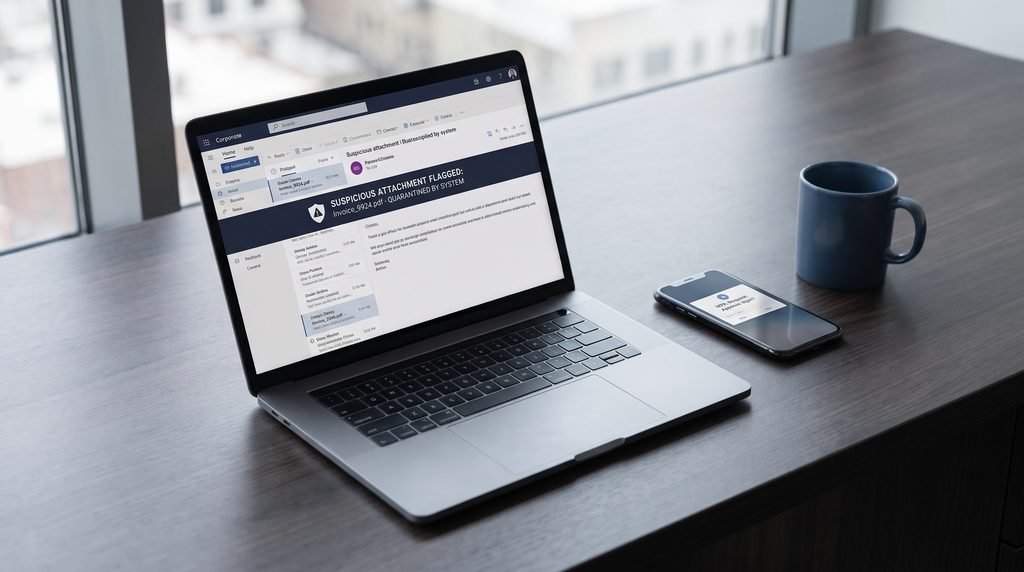
In a typical Business Email Compromise scenario, an attacker compromises a vendor’s email account and quietly observes ongoing billing conversations for weeks. When a legitimate invoice is due, the attacker steps in with a nearly identical email domain, instructing your accounting team to route the ACH or wire transfer to a “new” bank account. Without strict identity verification protocols and advanced email filtering, tens of thousands of dollars can vanish before anyone realizes an intruder was in the inbox.
2. Credential Harvesting and Session Hijacking
Because most small businesses rely heavily on cloud workspaces for email, file sharing, and daily communication, a single stolen username and password can grant an attacker the keys to the entire kingdom. Cybercriminals deploy fake login pages that look identical to standard corporate sign-in screens. Even worse, advanced adversary-in-the-middle (AiTM) phishing kits can intercept active browser session cookies—allowing attackers to bypass basic, poorly configured login prompts and gain direct access to sensitive company SharePoint folders, client databases, and internal chat logs.
3. Double-Extortion Ransomware
Historically, ransomware simply encrypted the files on an office server or workstation, demanding payment in exchange for the decryption key. If a business had a reliable backup, they could wipe the machines, restore their data, and move on.
To counter backups, ransomware groups shifted to double-extortion tactics. Before triggering the encryption script that locks down your workstations, the attackers silently exfiltrate gigabytes of sensitive company files—such as employee W-2s, client contracts, medical records, or proprietary bids—to their own servers. Even if you restore your network from a backup, the attackers threaten to publish your confidential data online or notify your clients directly unless a ransom is paid. Stopping ransomware today requires detecting and isolating the intruder the moment they enter the network, long before data exfiltration can occur.
4. Shadow IT and Unpatched Endpoints
In a fast-moving small business, employees often download unapproved software tools, browser extensions, or free file-sharing utilities to get their jobs done faster. This “Shadow IT” creates massive blind spots. When employees install software that management does not know exists, those applications never receive critical security patches. A single unpatched PDF reader, outdated browser plugin, or forgotten remote-access tool on a remote worker’s laptop provides a direct, unmonitored entry point into the wider corporate network.
Five Core Pillars of a Modern Small Business Cybersecurity Strategy
Transitioning from reactive guesswork to proactive defense does not require an enterprise-sized budget, nor does it require slowing down your employees with clunky, frustrating software. Instead, aligning your environment with established federal guidelines like the NIST Cybersecurity Framework relies on a layered security architecture where each control reinforces the others. If one layer fails—such as an employee accidentally clicking a malicious link—the next layer immediately contains the threat.
- Layer 1: Identity and Access Management: Securing cloud logins through strict multifactor authentication, role-based permissions, and conditional access rules.
- Layer 2: Endpoint Defense: Monitoring device behavior in real time through 24/7 Managed Detection and Response (MDR) and automated patch management.
- Layer 3: Network and Email Perimeter: Filtering malicious links, spoofing attempts, and unauthorized traffic via advanced email gateways and next-generation firewalls.
- Layer 4: The Human Firewall: Empowering staff through routine phishing simulations and mandatory financial verification protocols.
- Layer 5: Business Continuity: Guaranteeing rapid recovery through a 3-2-1 backup architecture, immutable cloud storage, and scheduled test restores.
Pillar 1: Hardened Identity and Access Management (IAM)
In a cloud-connected workplace, identity is the new perimeter. Your first line of defense is ensuring that only authorized personnel, on verified devices, can access company applications.
- Enforce Phishing-Resistant Multifactor Authentication (MFA): Every corporate email account, cloud workspace, VPN, and financial application must require MFA. Move away from insecure SMS text-message codes toward authenticator apps with number-matching or hardware security keys.
- Principle of Least Privilege: Employees should only have access to the specific folders and systems required for their role. A summer intern or a front-desk receptionist does not need administrative access to HR payroll folders or company-wide financial records. If an entry-level account is compromised, strict access controls prevent the attacker from moving laterally into high-value folders.
- Conditional Access Policies: Configure your cloud workspace to block login attempts from outside the United States instantly. If your entire team works in Iowa, there is no legitimate reason for an account login originating from an overseas server at 3:00 AM.
Pillar 2: Proactive Asset Lifecycle and Patch Management
You cannot protect what you cannot see. A comprehensive small business cybersecurity strategy begins with complete visibility over every piece of hardware and software touching your network.
- Automated Patching: Security vulnerabilities in operating systems and third-party applications are discovered daily. Instead of relying on employees to click “Update and Restart” when a prompt appears on their screen, implement centralized, automated patch management that pushes critical security updates after hours without disrupting the workday.
- Retiring End-of-Life Hardware: Aging laptops, legacy operating systems, and outdated network switches eventually reach End-of-Life (EoL) status, meaning the manufacturer stops releasing security patches altogether. Proactive lifecycle tracking ensures legacy equipment is budgeted for and replaced before it becomes a permanent security liability.
Pillar 3: 24/7 Managed Detection and Response (MDR)
Traditional antivirus software only looks for known “signatures”—digital fingerprints of old viruses that have already been cataloged. Modern malware, however, alters its code on the fly or uses built-in Windows administrative tools to execute attacks without ever installing a traditional virus file.
- Behavioral Monitoring: Replace legacy antivirus with Endpoint Detection and Response (EDR) backed by 24/7 human oversight (MDR). Instead of just scanning file names, MDR monitors how programs behave in real time.
- Instant Network Isolation: If a laptop suddenly begins attempting to encrypt hundreds of files at midnight or tries to export password hashes, the MDR system recognizes the malicious behavior, automatically severs that specific laptop’s network connection in seconds, and alerts security engineers to investigate—stopping a ransomware outbreak on a single machine before it can infect the rest of the office.
Pillar 4: Continuous Employee Security Training
Technology alone cannot solve every security challenge. When attackers target human psychology through urgency, fear, or authority, your employees act as your critical human firewall.
- Routine Phishing Simulations: Annual, hour-long training videos are quickly forgotten. Instead, deploy automated, monthly simulated phishing emails that test employees on real-world scenarios—such as fake package delivery notices, password reset alerts, or urgent executive requests.
- Culture of Verification: Establish a strict, non-negotiable company policy for financial transactions: any request to change vendor banking details, routing numbers, or payroll direct deposits via email must be verified by calling the known, trusted phone number on file—never the phone number listed in the email itself.
Pillar 5: Immutable Backups and Tested Disaster Recovery
Even the most sophisticated security stack must plan for the worst-case scenario, whether that is a zero-day cyberattack, a catastrophic hardware failure, or severe Midwest weather damaging your physical office.
- Third-Party Cloud Workspace Backups: Many business owners assume that because their files live in Microsoft 365 or Google Workspace, their data is permanently backed up. In reality, cloud providers operate on a “Shared Responsibility Model”—they guarantee the uptime of their cloud infrastructure, but protecting your actual data from accidental deletion, malicious insiders, or ransomware encryption is your responsibility.
- Immutable Storage: Implement a 3-2-1 backup strategy featuring immutable cloud backups. “Immutable” means that once a backup file is written, it is locked in a write-once, read-many state. Even if a threat actor compromises an administrator account, they cannot alter, overwrite, or delete your backup snapshots.
- Routine Restore Testing: A backup is only as good as your ability to restore it under pressure. Conduct scheduled test restores to verify data integrity and measure your exact Recovery Time Objective (RTO), ensuring you know down to the hour how quickly your team can get back to work.
The Compliance and Cyber Insurance Reality
Beyond protecting your daily operations from downtime, implementing a structured small business cybersecurity strategy is now a mandatory requirement for doing business in many industries.
Over the past several years, the cyber liability insurance market has undergone a massive correction. Previously, securing a cyber insurance policy required little more than filling out a basic questionnaire. Today, insurance underwriters require strict, verifiable proof that specific technical controls are active across your entire environment before they will issue or renew a policy.
If your business cannot prove that it enforces multifactor authentication across all remote access and admin accounts, maintains Endpoint Detection and Response (EDR) on all workstations, and holds segregated, immutable backups, insurers will either deny coverage outright or charge exorbitant premiums. Furthermore, if you check “yes” on an insurance application claiming those controls are in place, and a forensic investigation following a breach reveals they were improperly configured or turned off on certain laptops, the insurer can legally void the policy and refuse to pay the claim.
Similarly, regulatory compliance frameworks—from HIPAA in healthcare and the FTC Safeguards Rule for financial and accounting firms, to CMMC requirements for local manufacturers in the defense supply chain—now demand continuous documentation, access logging, and proactive vulnerability management. Treating cybersecurity as a foundational business operation keeps your company audit-ready and insurable year-round.
Replace Guesswork With Proactive Engineering
Cybersecurity Awareness Month is an ideal catalyst to evaluate your company’s risk posture, but true network security cannot be a once-a-year conversation. Threat actors evolve their tactics daily, and leaving your company’s operational continuity up to chance, outdated hardware, or temporary band-aids invites unnecessary risk into everything you have worked to build.
Small and mid-sized businesses should not have to choose between enterprise-grade security and operational efficiency. At Dymin, we partner with businesses across Des Moines and central Iowa to eliminate technical blind spots and build resilient, well-managed IT environments. Rather than waiting for an emergency ticket or a locked workstation, our local engineers provide continuous 24/7 threat monitoring, automated patch management, strict cloud access controls, and verified disaster recovery architectures tailored to how your team actually works.
Do not wait for a security incident to test the strength of your network. Partner with a team that resolves root-cause vulnerabilities and protects your infrastructure around the clock.
Ready to evaluate your company’s security posture? Contact us today to schedule a comprehensive network assessment with our engineering team.